A temp mail app that keeps your real inbox private

Temp Bmail creates a disposable temporary email address in seconds, receives messages as they arrive, and lets you switch addresses with one tap. No sign-up required.

Instant inbox No sign-up Private & secure
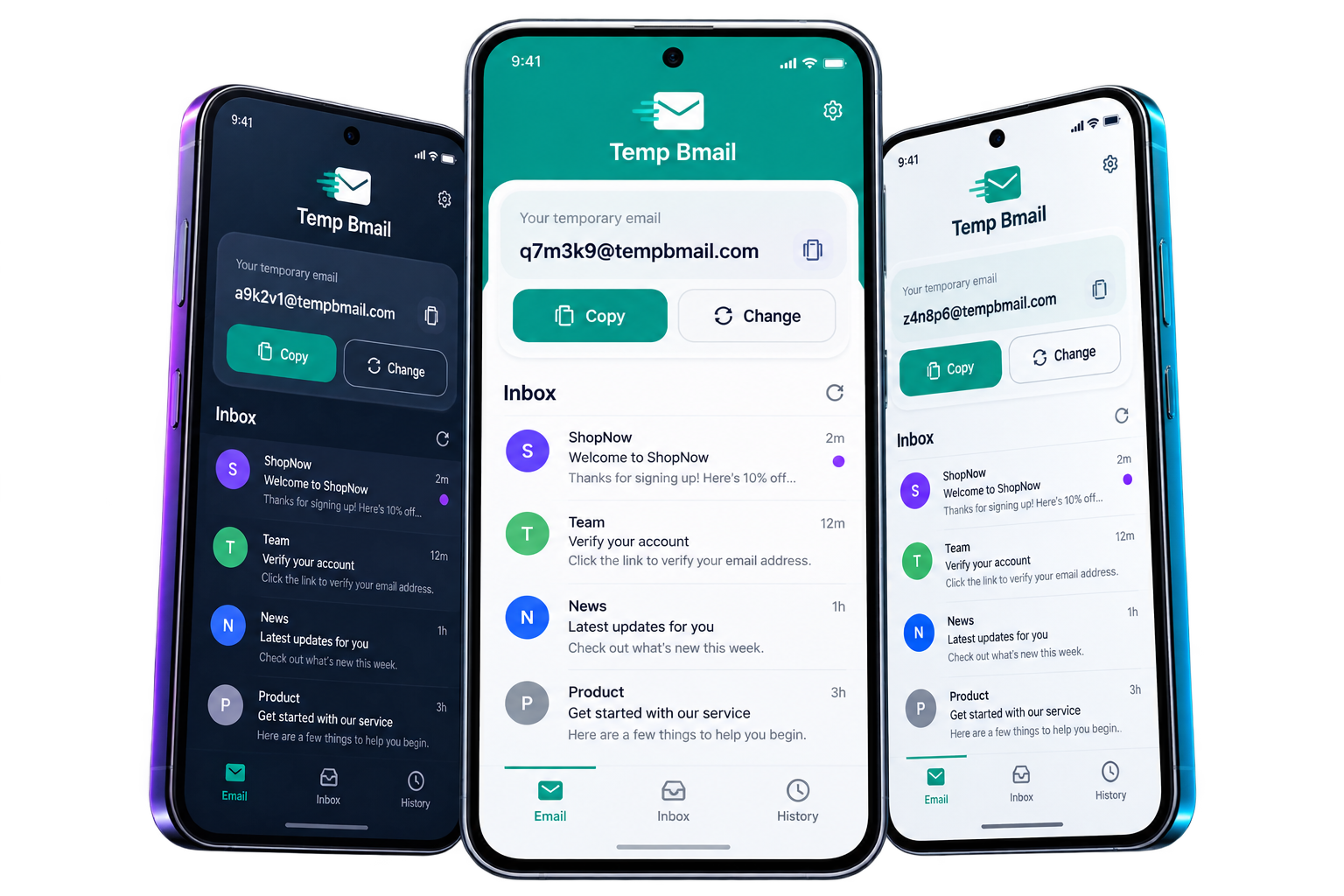
Three Android phones showing the Temp Bmail disposable email dashboard and inbox
Why This App

A temporary inbox built for your phone

Everything you need for a private, disposable address, designed for quick use on Android.

Instant address

A ready-to-use temporary email address the moment the app opens.

Fast inbox

New messages land in the app without repeatedly refreshing.

One-tap controls

Copy your address or switch to a new one from the same dashboard.

Address history

Recent temporary addresses stay close when you need to revisit an inbox.

Original Temp Bmail privacy and protected inbox illustration
No Registration

Generate an address without creating an account

Skip registration forms, passwords, and personal details. Your temporary email is ready when the app opens.

  • Copy instantly into sign-ups, trials, and verification forms
  • Change your address any time for a fresh inbox
  • Keep your real email separate from spam and follow-ups
Stay Connected

Receive verification emails while you're on the go

Temp Email Pro keeps your disposable inbox up to date so time-sensitive messages are easy to find. Open a message, copy the code, and continue what you were doing.

  • New mail appears directly inside the app
  • A focused interface built for Android
Original Temp Bmail instant inbox illustration
How It Works

Get a temporary inbox in three steps

No setup, technical knowledge, or separate account required.

1

Download the app

Install Temp Email Pro free from Google Play and open it on your Android device.

2

Copy your address

Use the disposable email shown on the dashboard wherever you need a private sign-up.

3

Receive your email

Return to the inbox to read verification links, codes, and confirmations.

Faqs

Temp email app FAQs

Quick answers about using Temp Email Pro on Android.

Yes. Temp Email Pro is free to download from Google Play and you can generate a temporary email address without paying or creating an account.

No. Open the app and a disposable email address is ready to copy, with no registration needed.

Website sign-ups, verification emails, free trials, downloads, testing, and any situation where you would rather not share your primary inbox.

Yes. When a website sends a verification link or code by email, it can arrive in your Temp Email Pro inbox just like a standard email.

Yes. Tap Change on the app dashboard whenever you want to replace the current address with a fresh one.

The current app is available for Android through Google Play. This page will be updated if an iPhone version becomes available.

Keep your real email out of your next sign-up

Get a private disposable inbox on your phone in seconds.

Download on Google Play
QR code to download Temp Email Pro on Google Play Scan to download
Do you accept cookies?

We use cookies to enhance your browsing experience. By using this site, you consent to our cookie policy.

More